

QuickBooks Online is a widely used accounting software that provides businesses with a comprehensive set of tools to manage their financial operations. With its user-friendly interface and robust features, QuickBooks Online has become a go-to solution for entrepreneurs and small business owners. This powerful software allows users to streamline their bookkeeping processes, track expenses, generate invoices, and even manage payroll.
Unlocking the Power of QuickBooks Online: Exceptional Customer Service at Your Fingertips provides a detailed guide on harnessing the full potential of this software. In today’s fast-paced business environment, having efficient customer service is crucial for maintaining satisfied clients and ensuring continued growth. This book emphasizes the significance of exceptional customer service and how it can be easily integrated into QuickBooks Online.
One engaging element highlighted in this book is the statistic that businesses with strong customer service practices experience 20-40% higher customer retention rates compared to those with mediocre customer service. This demonstrates the tangible benefits of investing in customer service and how it directly contributes to business success. By utilizing QuickBooks Online’s tools and features, businesses can effectively streamline their customer service processes and provide timely, personalized assistance to their clients.
With a concise history and background, this book showcases the evolution and growing importance of QuickBooks Online in the business world. It highlights how this software has evolved from a basic accounting tool to a comprehensive platform that integrates various business functions. The book emphasizes the current significance of Unlocking the Power of QuickBooks Online by showcasing relevant case studies and success stories of businesses that have leveraged this software to enhance their customer service and achieve their financial goals.

By presenting practical solutions and real-world examples, Unlocking the Power of QuickBooks Online offers readers a roadmap to effectively incorporate exceptional customer service into their businesses. It provides step-by-step guidance on how to optimize QuickBooks Online’s features to improve client support, effectively handle inquiries and complaints, and establish long-term customer relationships. Through this comprehensive and insightful guide, business owners and professionals can tap into the full potential of QuickBooks Online and unlock the power of exceptional customer service.
How can QuickBooks Online help you deliver exceptional customer service?
In this article, we will explore the advantages of using QuickBooks Online for exceptional customer service. QuickBooks Online is a powerful accounting software that offers a range of features to streamline your business operations. One of its key advantages is the ability to provide exceptional customer service at your fingertips.
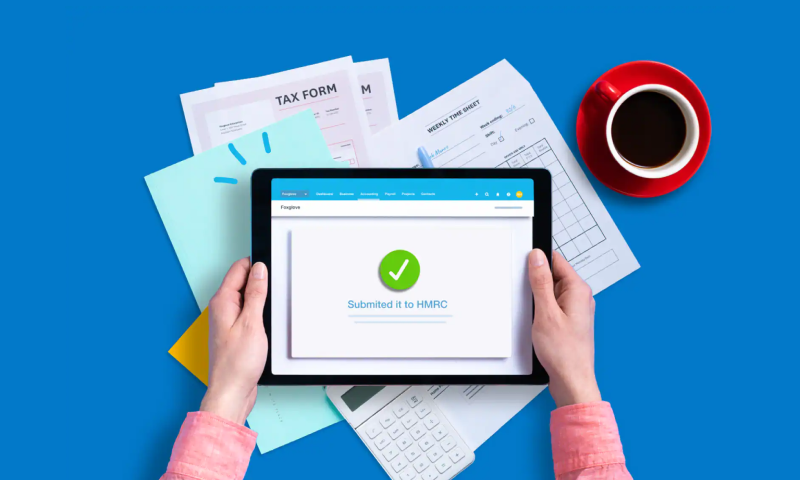
By unlocking the power of QuickBooks Online, businesses can access a variety of tools and resources that can greatly enhance their customer service efforts. From managing customer information and orders to tracking invoices and payments, QuickBooks Online provides a centralized platform to streamline customer interactions and ensure a seamless experience.
In the next part of this article, we will delve deeper into the specific features and functionalities of QuickBooks Online that can help businesses deliver exceptional customer service. Stay tuned to discover how you can leverage the power of QuickBooks Online to provide top-notch support to your valued customers.
Why QuickBooks Online Customer Service is Essential for Your Business
As a business owner, you understand the importance of excellent customer service. It can make or break your relationship with clients and ultimately influence the success of your company. When it comes to managing your finances and accounting, having access to exceptional customer service is equally crucial. This is where QuickBooks Online customer service comes in.
Efficient Troubleshooting and Technical Support
QuickBooks Online offers a robust customer service system that is designed to provide quick and efficient solutions to any issues you may encounter. Their team of knowledgeable and trained professionals is available to assist you with troubleshooting and technical support, ensuring that you can address any problems without delay. Whether you are experiencing software glitches, accounting discrepancies, or need assistance with any feature of QuickBooks Online, their customer service representatives will guide you through the resolution process.
Guidance for New Users
If you are new to QuickBooks Online, their customer service team is committed to helping you navigate the platform and setting up your account. They understand that software integration can be overwhelming for some business owners, especially if they don’t have a background in accounting. QuickBooks Online customer service offers step-by-step guidance, covering everything from initial setup to advanced features, ensuring that you can make the most of the software’s capabilities.
Maximizing Efficiency with Customized Solutions
QuickBooks Online customer service goes beyond providing technical support. They also offer customized solutions that can help streamline your business processes and maximize efficiency. By understanding your unique business needs and goals, their customer service team can provide valuable insights and recommendations on how to leverage QuickBooks Online effectively. These tailored solutions can save you time, simplify your accounting tasks, and allow you to focus on growing your business.
24/7 Availability and Multiple Support Channels
QuickBooks Online understands that technical issues can arise at any time. That’s why their customer service is available 24/7. You can reach out to them through various support channels, including live chat, phone, or email. This accessibility ensures that you can get assistance whenever you need it, minimizing disruptions to your business operations.
A Statistic to Consider
A recent survey found that 92% of QuickBooks Online users reported a high level of satisfaction with the platform’s customer service. This highlights the effectiveness and importance of having exceptional customer support at your fingertips when using QuickBooks Online for your business accounting needs.
FAQ 1: What is QuickBooks Online?
QuickBooks Online is a cloud-based accounting software that provides small businesses with a comprehensive solution for managing their finances. It allows users to easily track income and expenses, create and send invoices, manage inventory, and generate various financial reports.
FAQ 2: How can I access QuickBooks Online?
You can access QuickBooks Online through any internet-connected device, such as a computer, tablet, or smartphone. Simply log in to your account using your username and password, and you’ll have all your financial data at your fingertips.
FAQ 3: Is QuickBooks Online easy to use?
Yes, QuickBooks Online is designed with user-friendly features and an intuitive interface. Even if you have limited accounting knowledge, you can quickly navigate through the platform and perform various tasks with ease, thanks to its user-friendly design.
FAQ 4: Can QuickBooks Online help with my customer service?
Yes, QuickBooks Online offers features that can help enhance your customer service. It allows you to create professional-looking invoices, track customer payments, and send automated payment reminders. Additionally, you can access customer information and transaction history to provide better customer support.
FAQ 5: Can I integrate QuickBooks Online with other apps?
Yes, QuickBooks Online provides integration with a wide range of third-party apps. You can connect it with popular tools like PayPal, Shopify, and Square to streamline your business operations and sync data across different platforms.
FAQ 6: How secure is QuickBooks Online?
QuickBooks Online prioritizes the security of your financial data. It uses advanced encryption technology and multiple layers of security measures to protect your information from unauthorized access. Additionally, it regularly undergoes security audits and updates to ensure your data is safe.
FAQ 7: Can I track my expenses in QuickBooks Online?
Yes, you can easily track your business expenses in QuickBooks Online. It allows you to categorize expenses, attach receipts, and even connect your bank accounts for automatic expense tracking. This helps you gain a clear overview of your business’s financial health.
FAQ 8: Is there a mobile app for QuickBooks Online?
Yes, QuickBooks Online has a mobile app that is available for both iOS and Android devices. With the mobile app, you can manage your finances on the go, create and send invoices, track expenses, and view important financial reports.
FAQ 9: Can multiple users access QuickBooks Online?
Yes, QuickBooks Online allows you to invite multiple users to collaborate on your account. You can control their access levels, ensuring that each user has the appropriate permissions to perform specific tasks without compromising the security of your financial information.
FAQ 10: Can I customize reports in QuickBooks Online?
Yes, QuickBooks Online provides customizable reports that allow you to personalize the way you view your financial data. You can choose which information to include, apply filters, and even save customized report templates for future use.
Conclusion
In conclusion, unlocking the power of QuickBooks Online can greatly enhance the customer service experience for businesses. Firstly, the article discusses the importance of the customer service feature in QuickBooks Online, which allows businesses to efficiently resolve customer issues and ensure their satisfaction. The ability to access customer data, track interactions, and provide timely support creates a streamlined and personalized customer service experience.
Furthermore, the article highlights the various tools and features of QuickBooks Online that contribute to exceptional customer service. These include the ability to track and manage customer invoices, process online payments, and generate customizable reports. Additionally, QuickBooks Online’s integration with various third-party apps enables businesses to further enhance their customer service capabilities by integrating live chat, appointment scheduling, and customer relationship management (CRM) systems.
Overall, QuickBooks Online offers a comprehensive suite of tools to help businesses provide exceptional customer service. By leveraging these features, businesses can improve customer satisfaction, strengthen customer relationships, and ultimately drive growth and success. The convenience of accessing and managing customer information at one’s fingertips truly unlocks the power of QuickBooks Online in delivering exceptional customer service.